






Description
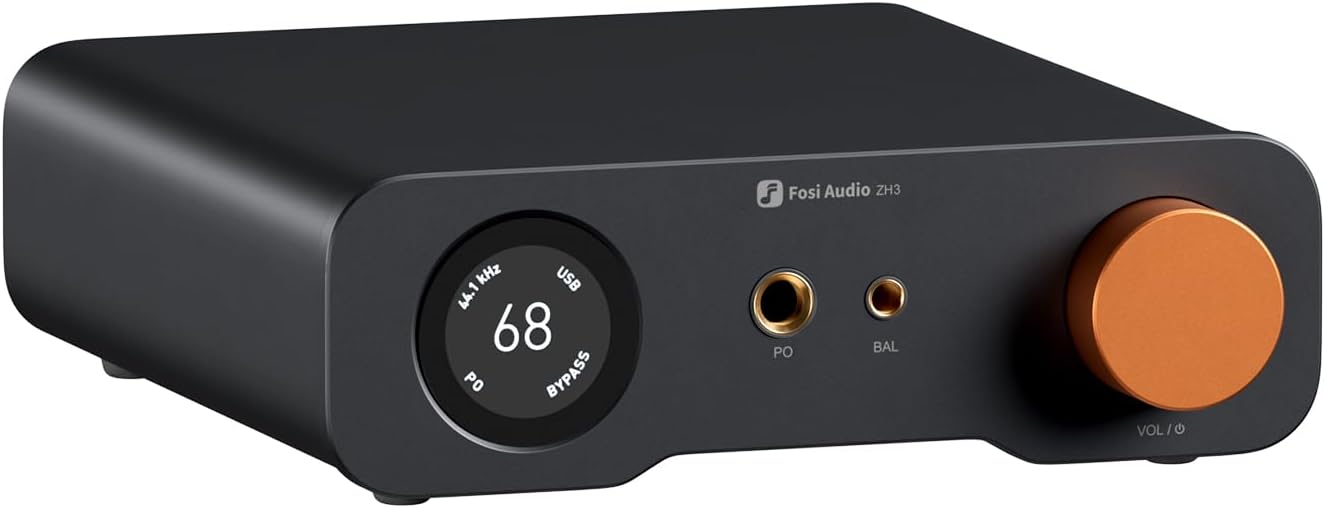
With comprehensive input and output options, the ZH3 functions as a DAC, headphone amplifier, and preamp, which can be connected to IEMs, over-ear headphones, active speakers, and amplifiers. Featuring UAC 1.0 and 2.0, it is also compatible with gaming consoles, ensuring seamless connectivity across multiple desktop devices. Get it today from Gears for Ears the official Fosi Audio dealer at the best price in Bangladesh.
Fosi Audio ZH3 DAC and Headphone Amp Features
- An all-in-one desktop HiFi DAC/headphone amp/preamp: With premium chipsets and self-developed fully balanced circuitry, low noise and low distortion. Perfect for HiFi headphones or active speakers, it's the ultimate desktop audio solution.
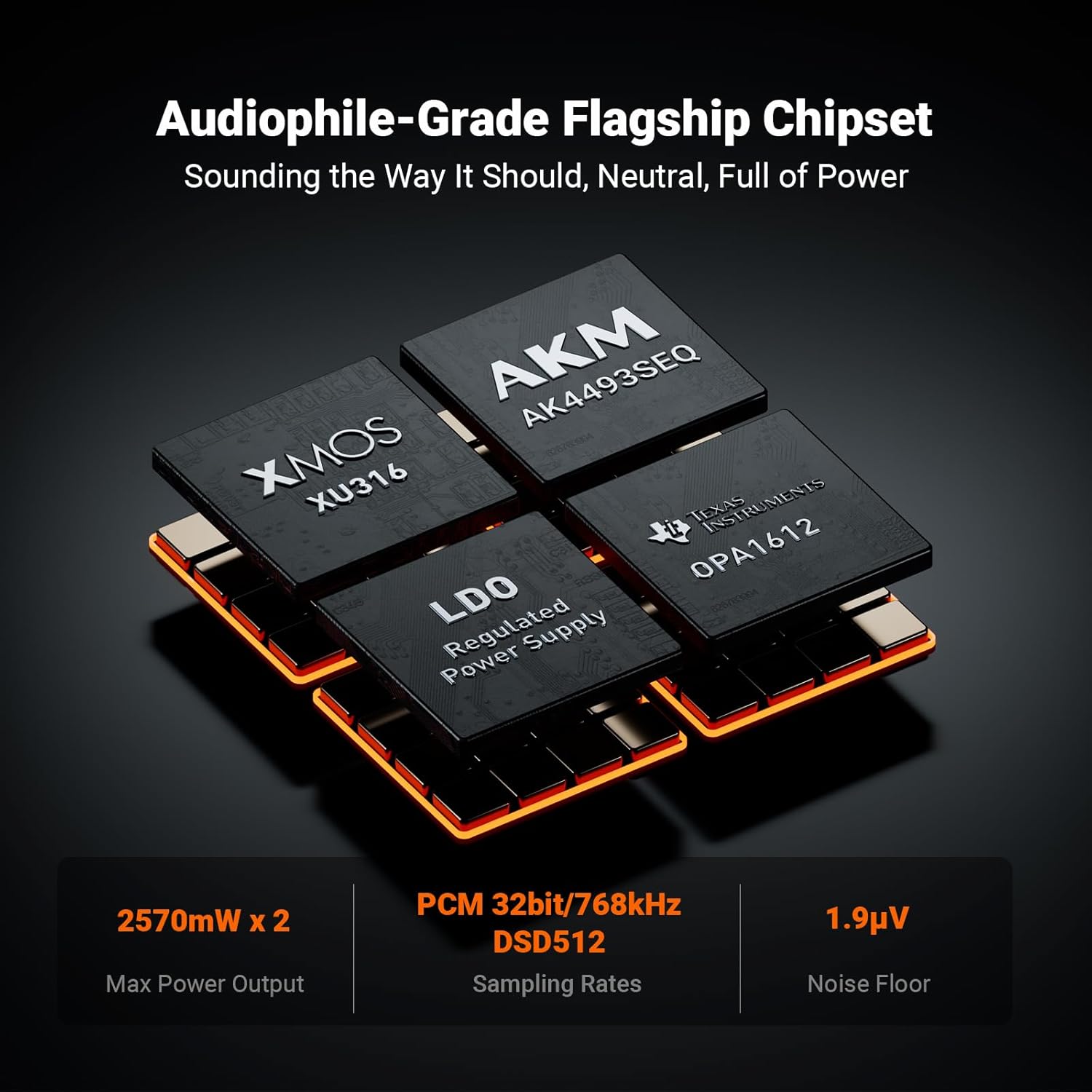
- Exceptional Sound Quality: Premium chipset with AKM4493SEQ DAC, XMOS XU316 processor, and four OPA1612 amps supports up to PCM 768kHz/32bit & DSD512. A self-developed dual-power balanced amp circuit with multiple ultra-low-noise LDOs and capacitors keeps noise as low as 1.9μV.
- High Output Power: Equipped with both 6.35mm single-ended (640mW@32Ω x2) and 4.4mm balanced (2570mW@32Ω x2) outputs. The 3-level gain switch supports headphones ranging from 16Ω to 300Ω, making it perfect for almost in-ears and over-ear headphones.
- Versatile & Flexible: With coaxial, optical, USB, and RCA inputs, plus 4.4mm, 6.35mm, RCA, and XLR outputs, it connects to diverse audio sources and devices. Functions as a DAC/amp/preamp for desktop HiFi. UAC mode switching ensures full compatibility with game consoles for both music and gaming.
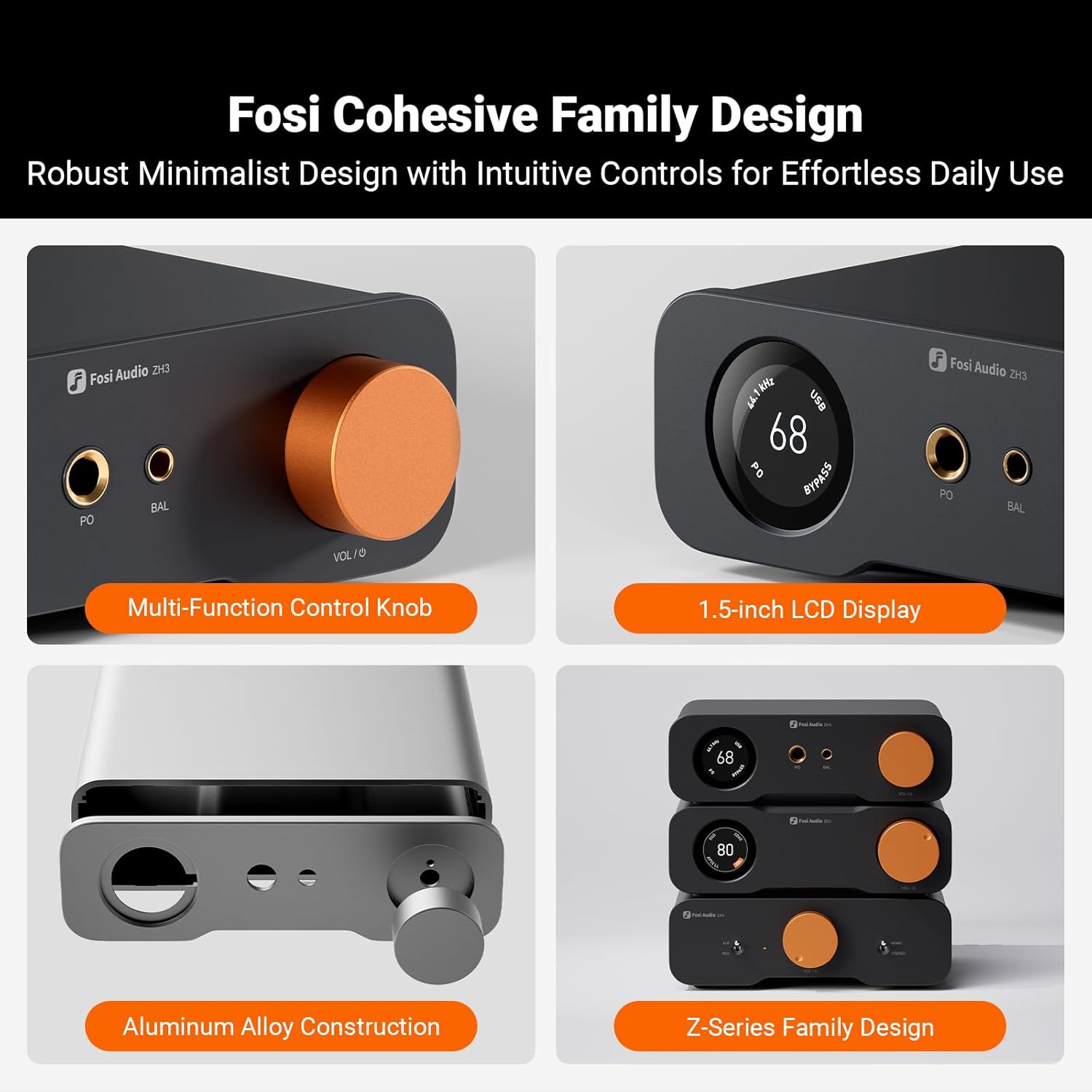
- Rich Customization: Features bass/treble EQ adjustments and 6 filter types, including Bypass mode and two swappable op-amps, allowing you to customize the sound to match your preference. All functions are integrated into the screen for a clean, premium look that continues the Z-Series design language.
Specifications
- Chipset: XMOS XU316+AKM4493SEQ+ OPA1612 x 4
- Input: Coaxial/Optical/USB/RCA
- Output: 4.4mm/6.35mm/RCA/XLR
- SINAD ≥ 115dB; SNR ≥ 121dB; THD+N ≤ 0.00018%; Noise Floor ≤ 1.9μV
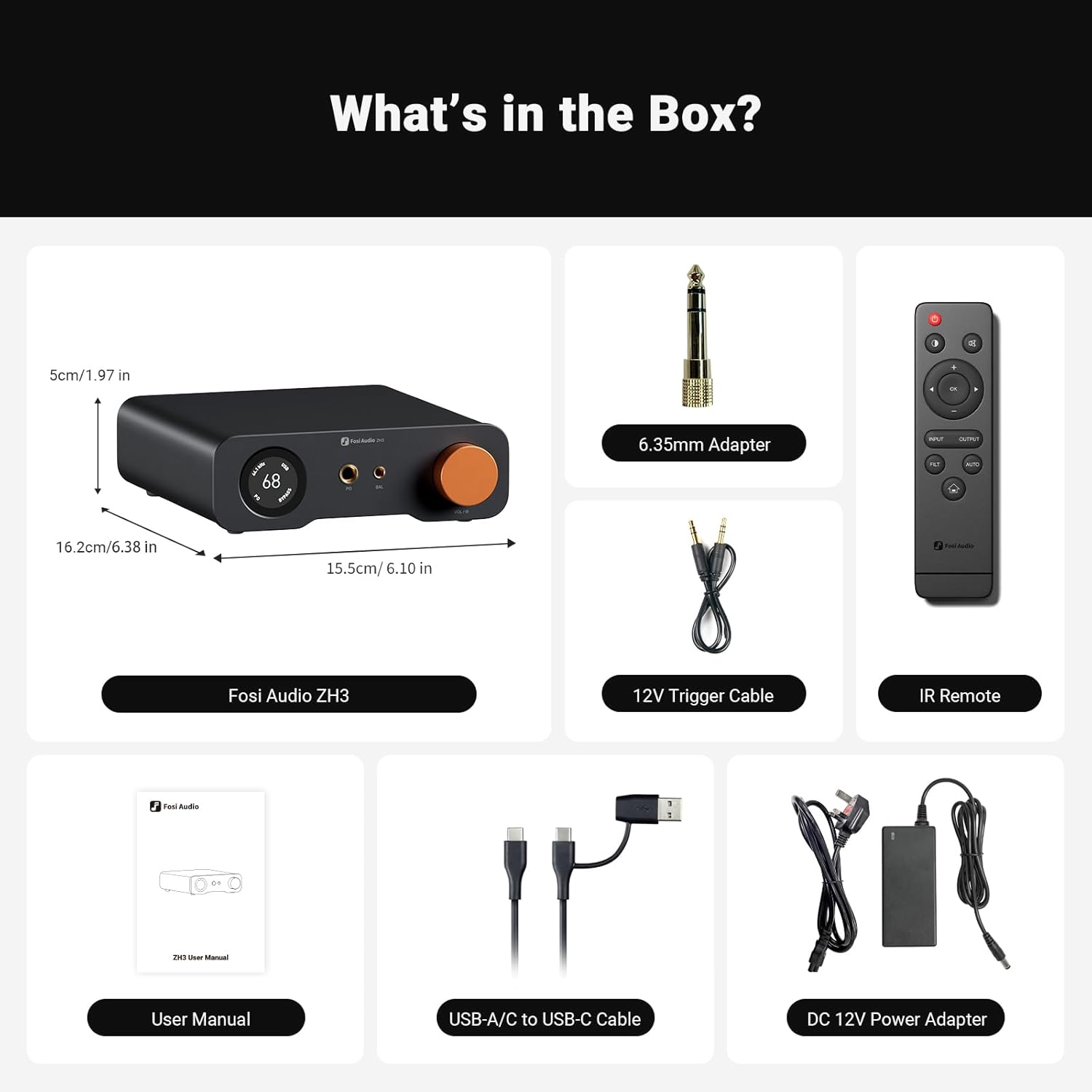
What‘s in the box?
- Fosi Audio ZH3 x 1
- 6.35mm Adapter x 1
- 12V Trigger Cable x 1
- IR Remote x 1
- User Manual x 1
- USB-A/C to USB-C Cable x 1
- DC 12V Power Adapter x1
FAQ
When do I need to install a driver for ZH3 on Windows?
If your PC is running Windows 7 or earlier. (Note: Windows 7 is no longer updated and may have compatibility issues. Using ZH3 with Windows 7 is not recommended.); To play DSD tracks. (Note: If you use Foobar with the built-in WASAPI plugin for DSD playback, no driver is needed.); To play PCM 768kHz tracks.
USB not recognized?
Faulty or loose USB connection—try a different USB cable; Computer malfunction—try connecting to another computer; Malfunctioning USB port—try another USB port; ZH3 is not set to USB input mode; Driver conflict—go to "Device Manager," find "Audio Inputs and Outputs," uninstall the ZH3 driver, reinstall it, reboot your computer, then reconnect the ZH3 via USB.
If a submenu item appears grayed out, it means the function is not available in the current input/output mode.
USB Input--R/X or LO output: EQ, Bypass, and Gain adjustment not supported; Optical/Coaxial Input--PO output: UAC switching not supported; Optical/Coaxial Input--R/X or LO output: EQ, Bypass, Gain, and UAC switching not supported; RCA Input--PO output: UAC switching and Filter not supported; RCA Input--R/X or LO output: Only input and output selection available.
Can I replace the op-amps in the ZH3?
The ZH3 supports the replacement of two op-amp chips. It utilises easily replaceable DIP8 dual-channel discrete op-amps, catering to your pursuit of a personalised audio experience. Compatible models include the LME49720, NE5532, MUSES02, SS3602, and others. For detailed video tutorials, please consult customer service.