




Description
- Maximum output power: 300W*1 4Ω load
- Power amplifier chip: TPA3255D2
- Tone chip: NE5532
- DC chip: 2596
- Full frequency frequency response: 20Hz-20kHz (±3dB)
- Speaker matching impedance: 4-8Ω
- Distortion: 0.03% when outputting 1W
- Working voltage: DC24-35V
- Signal to noise ratio: ≥106dB
- Input sensitivity: 0.775V
- Dimensions (L*W*H): 120*117.5*36MM (without protruding knob section)
- Bass cutoff frequency adjustment range: 40-300Hz
- Bass attenuation slope: -12dB Slope
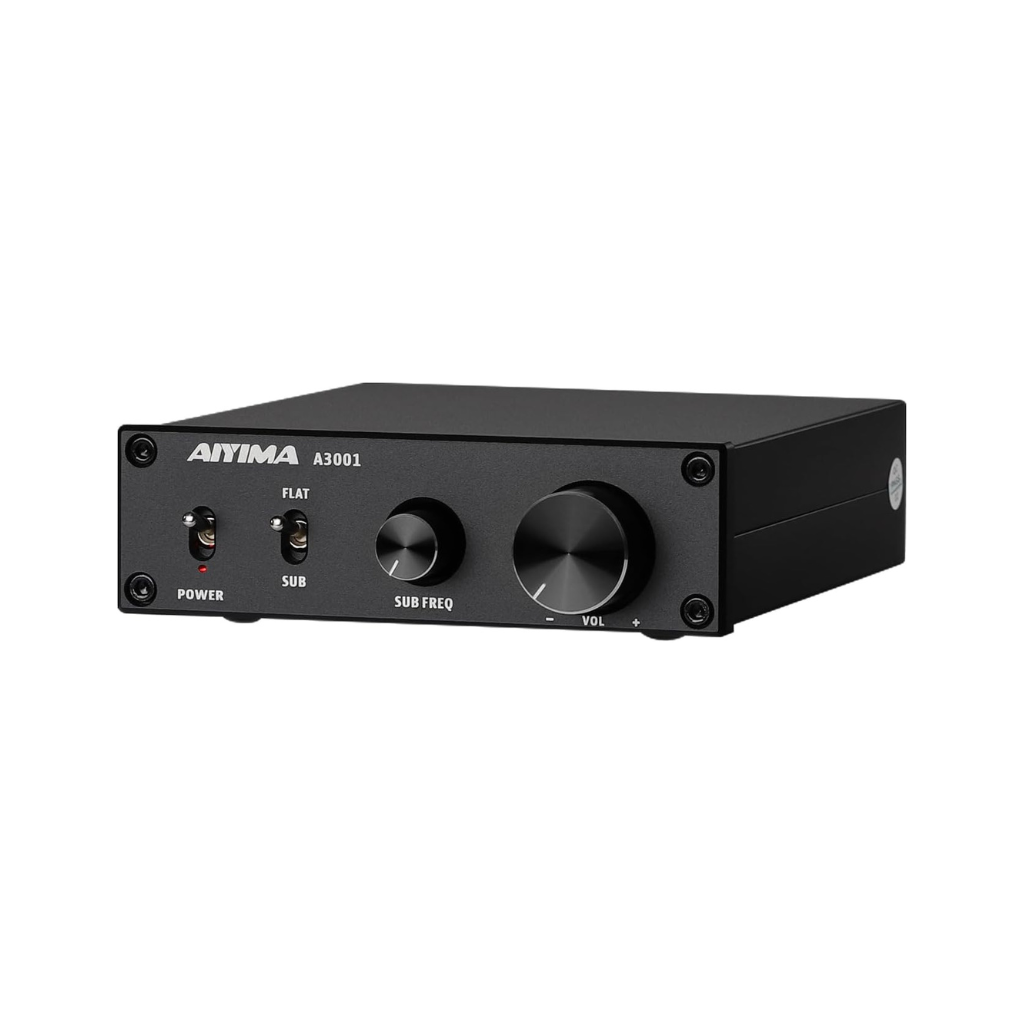
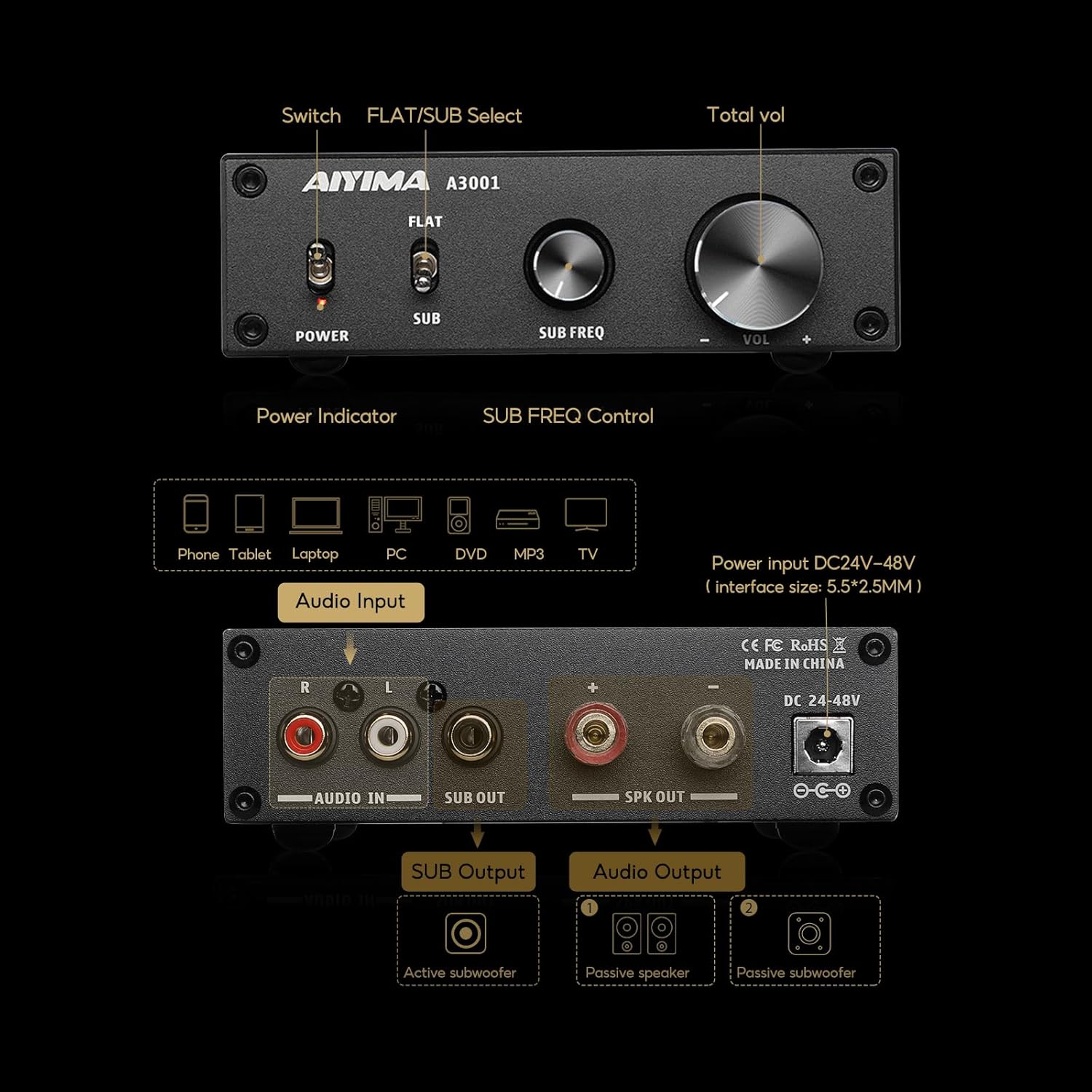
Panel description:
1.Power switch
2. Power indicator
3. Full/bass operation mode switch.
4. Bass up frequency adjustment knob (knob is only available in bass mode)
5. Volume knob (clockwise volume increases, counterclockwise volume decreases)
6. Audio input interface (such as CD, DAC decoder, mobile phone, TV, etc., red to the right channel input, white to the left channel input)
7. Low-pass output (connected to the active subwoofer, synchronized output with the amplifier)
8. Speaker interface (red to positive, black to negative)
9. Power interface (DC power supply must not exceed 35V)
Operation Steps
1. Make sure the VOL knob is at its minimum.
2. Connect the speaker according to the back panel interface indication, pay attention to distinguish between positive and negative.
3. Connect the audio source you want to use.
4. Connect the power supply.
5. Select the desired working mode
6. Press the power button.
7. Turn the knob clockwise to select the desired volume level.
8. In the SUB mode, the bass cutoff frequency can be changed by adjusting the SUB FREQ knob.
PBTL/SUB Switch:
When "PBTL/SUB" is switched to "SUB", SPK OUT connects to the passive subwoofer.
When "PBTL/SUB" is switched to "PBTL", SPK OUT connects to the full range speaker.
The SUBOUT is connected to active subwoofer.
Specifications
- ❶ Adopt The Instruments TPA3255D2 chip, NE5532 op-amp. Very Quiet, Runs Extremely Cool,Easy to set up,Ship With 36V 6A power adapter,so our AIYIMA A3001 Subwoofer Amplifier can driver most home passive speakers and powered subwoofers
- ❷ This A3001 TPA3255 HiFi Mono class D amplifier,the Max output 300W, Exclusively designed for the customers who pursue HiFi sound
- ❸ Built-in low pass filter for Subwoofers With Full-Frequency and Sub Bass Switchable,Can be switched to subwoofer bass or full frequency mono amp, Can be connected to passive suboower,active subwoofer or passive speaker
- ❹ Add full-range mono amp & Subwoofer amplifier switchable switches to adjust the input ways according to your different needs
- ❺ Simple compact design,And the exterior design is delicate and beautiful little amp,It can match with your computer/ desktop /Home theatre system and so on
- Please Note: The 300W power mentioned in the title is the peak power of the product when paired with a 48V 10A power supply and a speaker impedance of 4Ω. The A3001 is sold with 36V 6A, please refer to the A3001 Power Meter below for specific power figures.